How Confetti works

From the whole camera roll to the album you keep.

Four steps, in the order you actually do them: tag every face, name the people once, build the album, then download and share. Here is each one, up close.

Get started free
The path from a photo dump to a finished album
1 Connect

Start with the folder you already have.

Sign in with Google and point Confetti at the folder in your Drive where the photos landed, one folder or a dozen, from every phone at the event. Confetti reads them where they are.

  • Read-only access. Confetti never moves, changes, or deletes your originals. You keep custody, always.
  • Any number of folders. Pull a whole weekend together even when the photos are scattered across separate folders.
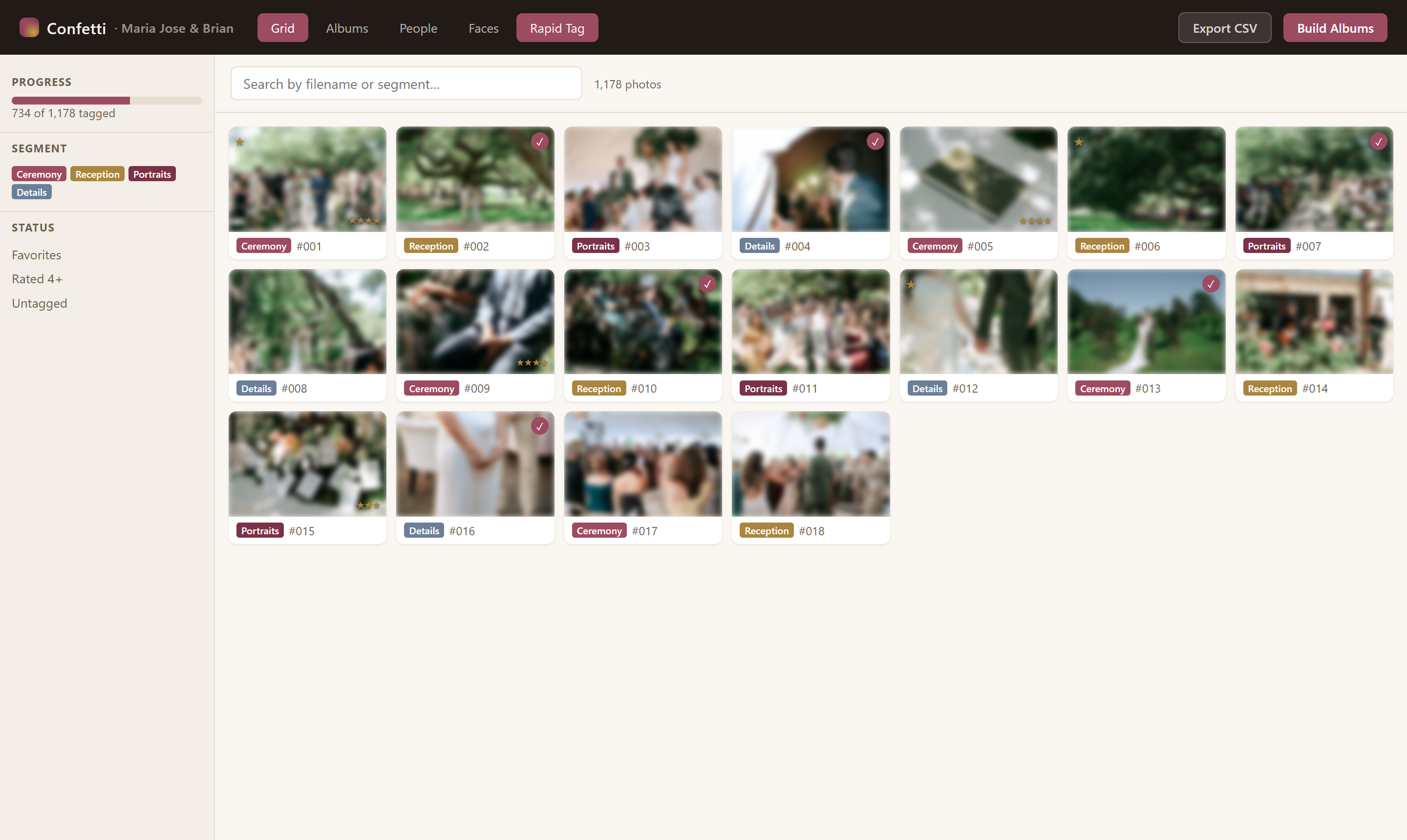
confettialbums.com/app
A connected wedding gallery, organized in Confetti
2 Tag faces

Every face, found. Even the ones in the back.

Confetti scans the event's photos and groups the same person's face together across all of them. Two passes, depending on how deep you want to go.

  • Tag the face, not the photo. Each face is boxed on its own, so a group shot tags everyone in it individually, never the whole photo as one person.

Scan for new faces

A quick pass over anything new.
3 faces found

Deep scan

Higher resolution, lower threshold.
7 faces found
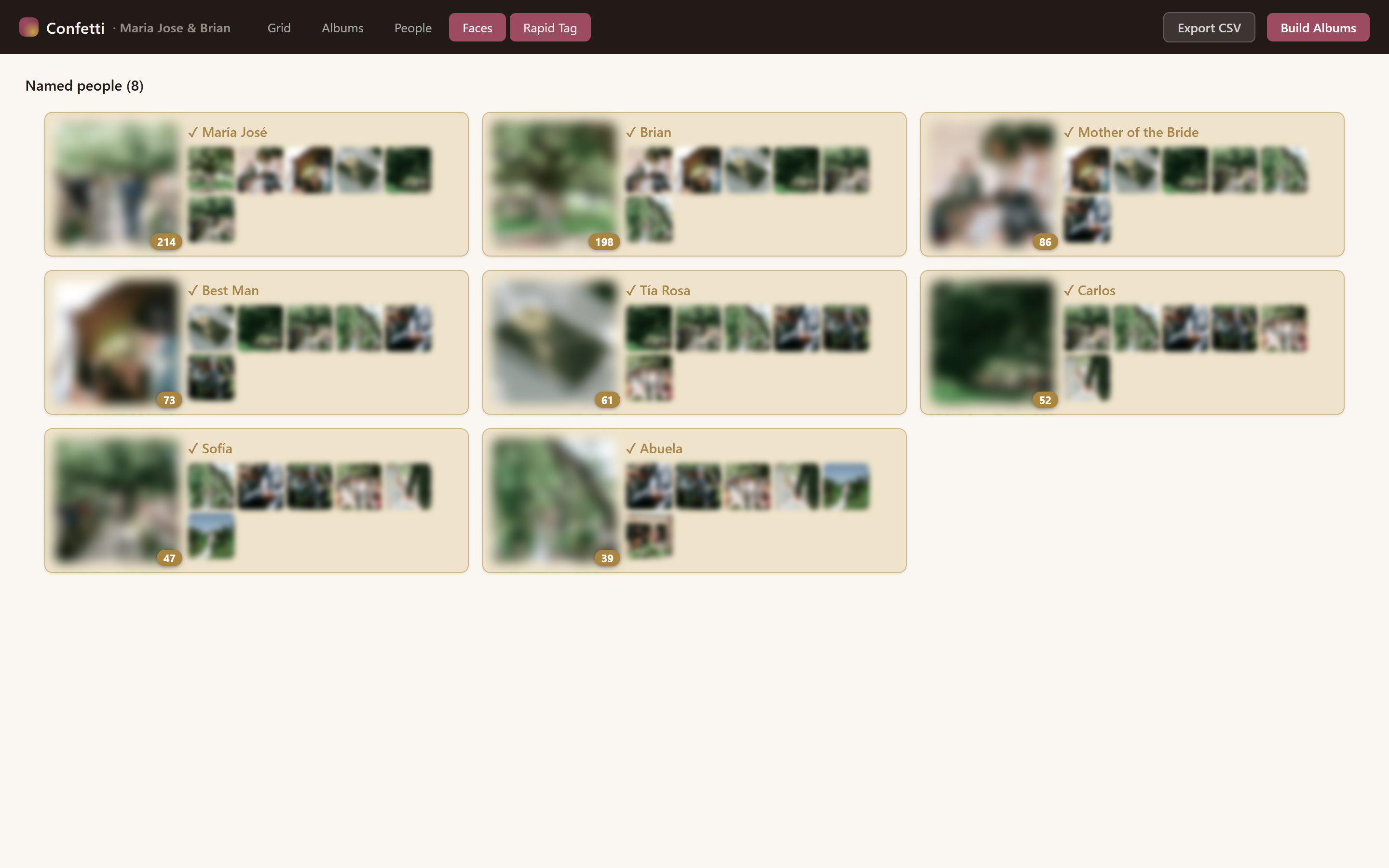
3 Name people

Name a face once. Found in every photo.

Put a name to a face a single time and every photo that person appears in is tagged. Do it once and it sticks for the whole event, and Confetti even remembers them the next time you use it.

  • Find more of named people. One click matches any still-unnamed faces to people you have already named, kept strict on purpose to avoid false tags.
  • Family & friend groups. Group the bridal party or one side of the family. When two or more members appear together, Confetti suggests that album automatically.
  • Recognized next time too. Someone you named at the wedding is already known at the reunion, no starting from scratch.
confettialbums.com/faces
Confetti face grouping, naming a person once to tag them everywhere
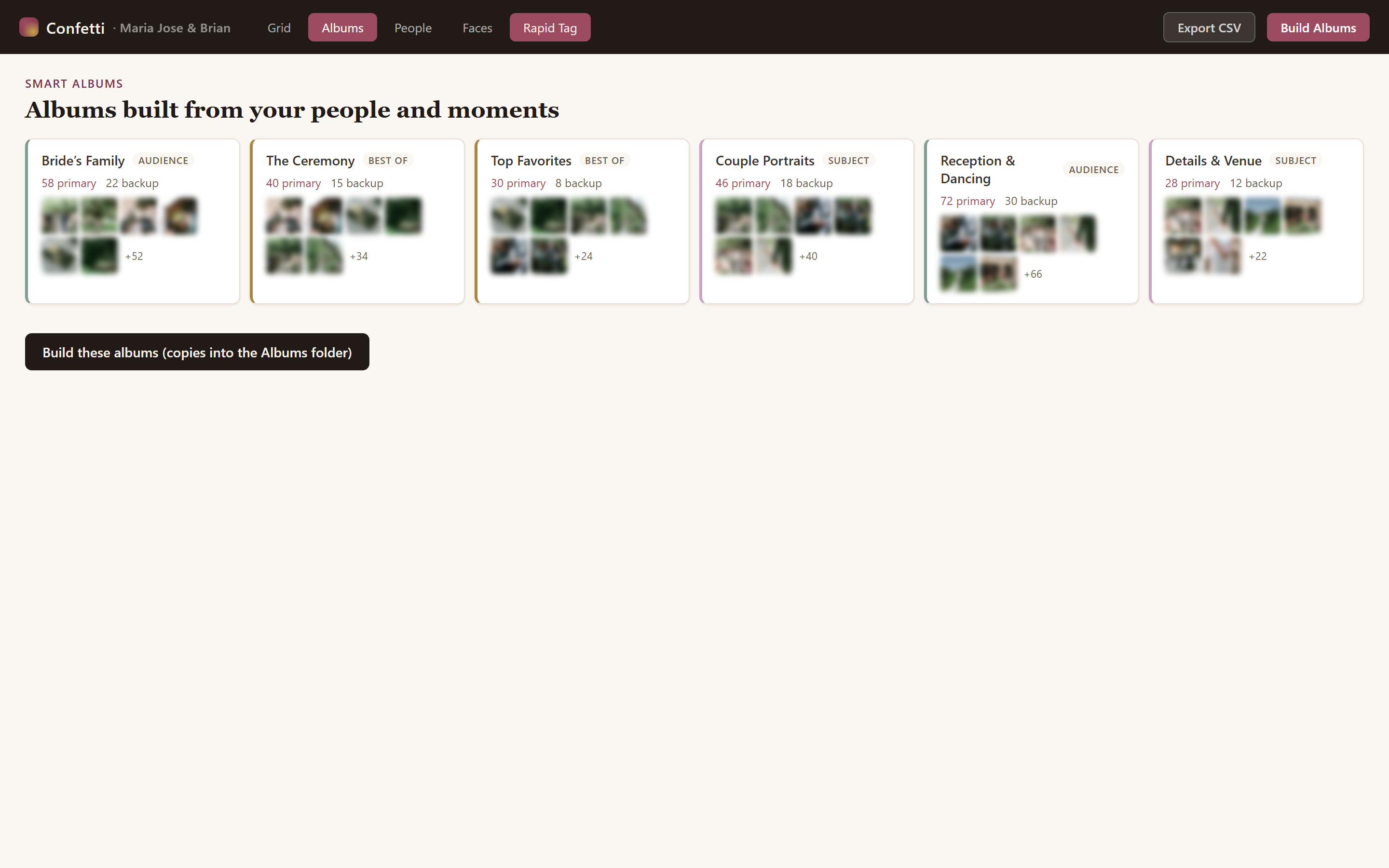
4 Build albums

Three ways to build. You choose how much to do.

You pick every photoConfetti composes the story

Custom

Free
Hand-pick the photos yourself into a named album.
You do the curating
  • Unlimited albums, any size
  • You choose every photo
  • No credit, ever

Standard

Free
Pick an intent and Confetti fills it by rule. No AI needed.
Confetti selects, you steer
  • Best-of, a person & family, a group, or a side
  • Sets aside near-duplicate bursts, diversifies shots
  • Orders by segment, then time

Intelligent

Premium
The story-and-curation engine builds a designed album of the day.
Confetti composes it
  • Structures the day into chapters, picks the best of each
  • Sequences a narrative: an opening, chapters, a close
  • 1 album credit per build; refining and saving are free
  • Sharper still when AI photo analysis is switched on
One event, the whole weekend

Every album follows the day, in order.

An event is the whole occasion. Segments are the parts of the day, and they come straight from the folders you connect. The Intelligent builder maps those segments onto the day's narrative chapters, so the album opens where the day opened and closes where it closed.

Prep
Ceremony
Portraits
Reception
Send-off
Your Drive folders become segments, and segments become the album's chapters.

Your event's album is a few clicks away.

Connect your Google Drive folder and watch the faces, the people, and the albums fall into place. Free to start, no card required.

5 Keep & share

The album, out into the world.

A finished album is only worth it if you can actually keep it and hand it around. Three ways out, all yours.

  • Download to your computer. Get the finished album as a .zip, photos numbered in the exact order you arranged them.
  • Save it back to Drive. Drop the album into your own Google Drive, in a folder named after it, right beside your originals.
  • Share by link. Send an event or a single album by link, with an optional email allowlist and expiry. Guests view without an account.
confettialbums.com/app
A finished Confetti album, ready to download and share

Everything Confetti does

The whole toolkit, at a glance.

Automatic face tagging

Every face in the event, found and grouped, so you name people just once.

Deep scan

A thorough pass catches even the small faces in a big group shot.

Family & friend groups

Group the bridal party or one side, and the right album suggests itself.

Custom albums

Hand-pick any photos into an album. Unlimited, any size, free.

Standard albums

Pick who it's for, and Confetti fills the album by rule. No AI needed.

Intelligent albums

A designed album that tells the story of the day, chapter by chapter.

Download as a .zip

Get the finished album on your own computer, numbered in your order.

Save to Drive & share

Save an album back to Drive, or share by link. Guests need no account.

Your photos stay yours

Read-only access to your Google Drive. Originals are never touched.

Make the album everyone's waiting for.

Start with your wedding. Every celebration worth remembering comes next.